
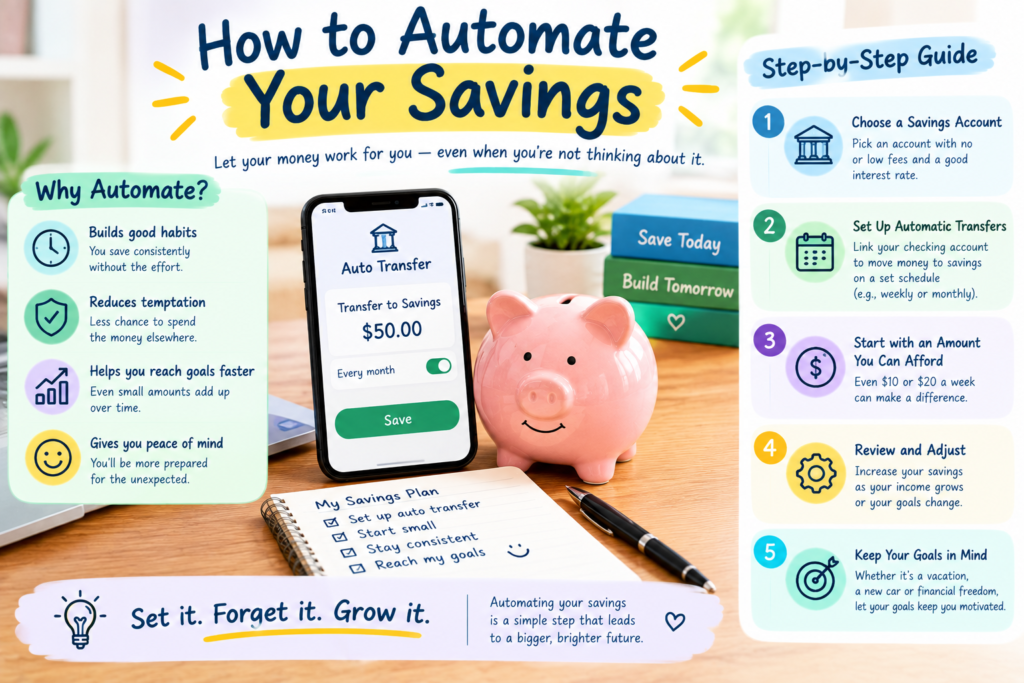
Saving money is one of the most important habits you can develop for your financial future. However, knowing that you should save and actually saving consistently are two different things. Many people intend to save money every month but end up spending it on bills, shopping, entertainment, or unexpected expenses.
One simple solution is to automate your savings. Automation allows money to move from your checking account to your savings account automatically, so you do not have to remember to transfer it manually every time.
By creating a system that saves money automatically, you can make saving a regular part of your financial routine.
What Does It Mean to Automate Your Savings?
Automating your savings means setting up automatic transfers that move a specific amount of money into a savings account on a schedule.
For example, you could arrange for $100 to move from your checking account to your savings account every payday.
Once the transfer is established, the process happens automatically according to the schedule you selected.
The idea is simple: instead of saving whatever money happens to be left at the end of the month, you save first and then manage your remaining money.
Why Automating Savings Works
One of the biggest benefits of automation is consistency.
When saving depends entirely on remembering to make a transfer, it is easy to skip a month. Automatic transfers reduce the number of decisions you need to make.
Automation can also help reduce impulse spending. If money moves into savings shortly after you receive your income, you may be less likely to spend it on unnecessary purchases.
Over time, these small automatic contributions can add up to a significant amount.
1. Choose a Savings Goal
Before setting up automatic savings, decide what you are saving for.
Your goal could be:
- An emergency fund
- A vacation
- A new car
- A home purchase
- Education
- Retirement
- A large planned expense
- General financial security
Having a specific purpose can make it easier to determine how much you should save each month.
For example, if you want to save $1,200 for a vacation over 12 months, you would need to contribute approximately $100 per month.
2. Determine How Much You Can Afford
Your automatic savings amount should fit comfortably within your budget.
Review your monthly income and essential expenses first. Then determine how much you can reasonably transfer into savings without making it difficult to pay your bills.
You do not need to start with a large amount.
Even $10, $25, or $50 per week can help you develop the habit. You can increase the amount later as your income or financial situation changes.
3. Choose the Right Savings Account
The account you use for automated savings should match your goal.
For an emergency fund or short-term goal, you may want an account that provides easy access to your money while offering an appropriate interest rate.
For long-term goals, your options may be different depending on the purpose of the money and your financial situation.
When comparing accounts, consider fees, interest rates, minimum balances, accessibility, and other terms.
4. Set Up Automatic Transfers
Most banks allow customers to schedule recurring transfers between eligible accounts.
You can usually choose:
- The amount
- The transfer date
- How often the transfer occurs
- The account receiving the money
For example, you could schedule a $75 transfer every Friday or a $300 transfer on the first day of each month.
Choose a schedule that matches your income. If you are paid every two weeks, transferring money after each paycheck may feel more manageable than making one large monthly transfer.
5. Save Immediately After Getting Paid
A useful approach is to schedule your savings transfer shortly after your paycheck arrives.
This is sometimes described as “paying yourself first.”
Instead of waiting until the end of the month to see what is left, you move your planned savings amount first. You then use the remaining money for your regular expenses.
This approach can make saving feel more like a regular financial obligation rather than an optional activity.
6. Consider Splitting Your Direct Deposit
Depending on your employer and payroll system, you may be able to divide your paycheck between multiple accounts.
For example, part of your paycheck could go directly into your checking account while another portion goes directly into your savings account.
This can be another effective way to automate saving because the money reaches your savings account before you have an opportunity to spend it.
Check with your employer or payroll provider to see whether this feature is available.
7. Increase Your Savings Gradually
You do not have to keep your automatic savings amount the same forever.
As your income increases, consider increasing your savings contribution.
For example, you might start with $100 per month. After receiving a raise, you could increase the transfer to $125 or $150.
You can also increase your savings after paying off a debt or reducing a regular expense.
Small increases can have a meaningful effect over time.
8. Use Automatic Savings for Multiple Goals
You can automate savings for more than one goal.
For example, you could create separate savings categories for:
- Emergency fund
- Vacation
- Home repairs
- Car expenses
- Holiday spending
- Long-term goals
Some banks allow you to create multiple savings accounts or sub-accounts. This can help you see how much money you have saved for each purpose.
Separating goals can also reduce the risk of spending money intended for another purpose.
9. Keep an Eye on Your Checking Account
Automation is helpful, but you should still monitor your finances.
Make sure automatic transfers do not cause your checking account balance to become too low.
If your income changes or you have an unusually large expense, you may need to adjust the transfer amount temporarily.
Review your account regularly to make sure the automatic savings system continues to fit your budget.
10. Use Windfalls to Boost Savings
Automatic savings does not have to be limited to your regular paycheck.
When you receive unexpected money, you can choose to put part of it into savings.
Examples include:
- Work bonuses
- Tax refunds
- Cash gifts
- Side-income payments
- Money from selling unused items
You can make a one-time transfer or increase your regular automatic savings amount.
11. Avoid Making the System Too Complicated
Your savings system should be easy to maintain.
You do not need dozens of accounts or complicated spreadsheets if a simple system works for you.
For example, you might have one checking account for regular spending, one savings account for emergencies, and separate savings categories for specific goals.
The best system is one you understand and can maintain consistently.
Example of an Automated Savings Plan
Suppose you earn $3,000 per month and decide to save $300 automatically.
You could set up:
- $200 per month for your emergency fund
- $50 per month for a vacation
- $50 per month for another financial goal
After one year, you would have contributed $3,600 across these goals, before considering any interest earned.
The important part is that the transfers happen automatically, reducing the need to make a new decision every month.
What If You Cannot Save Much?
Do not assume that automation is only useful if you can save hundreds of dollars every month.
Starting small is perfectly reasonable.
If you can only save $20 per week, automate the $20 transfer. That equals approximately $1,040 over a year if maintained consistently.
As your circumstances improve, you can increase the amount.
Building the habit is often more important than starting with a large number.
Final Thoughts
Automating your savings can make it easier to build financial security without relying on willpower or memory. By automatically transferring money into savings after receiving your income, you can make saving a regular part of your financial routine.
Start by choosing a clear goal and an amount that fits your budget. Set up recurring transfers, monitor your checking account, and increase your savings gradually when your financial situation allows.
Whether you are building an emergency fund, saving for a vacation, preparing for a major purchase, or working toward long-term financial goals, automation can help you make steady progress.
The key is to start with an amount you can maintain and allow consistency to do the work over time.